The back office, under control.
Budget management, payment screening, background checks and share allocations, read from your own books and registers, with a record of who did what.
What it replaces:
Month-end surprises
Money in and out for every entity, read straight from your ledger, day by day.
Payments nobody questioned
Ask about any line in the ledger and see what it was for, and whether it looks right.
A cap table in a spreadsheet
Ownership worked out from the share ledger, so the split you see is never out of date.
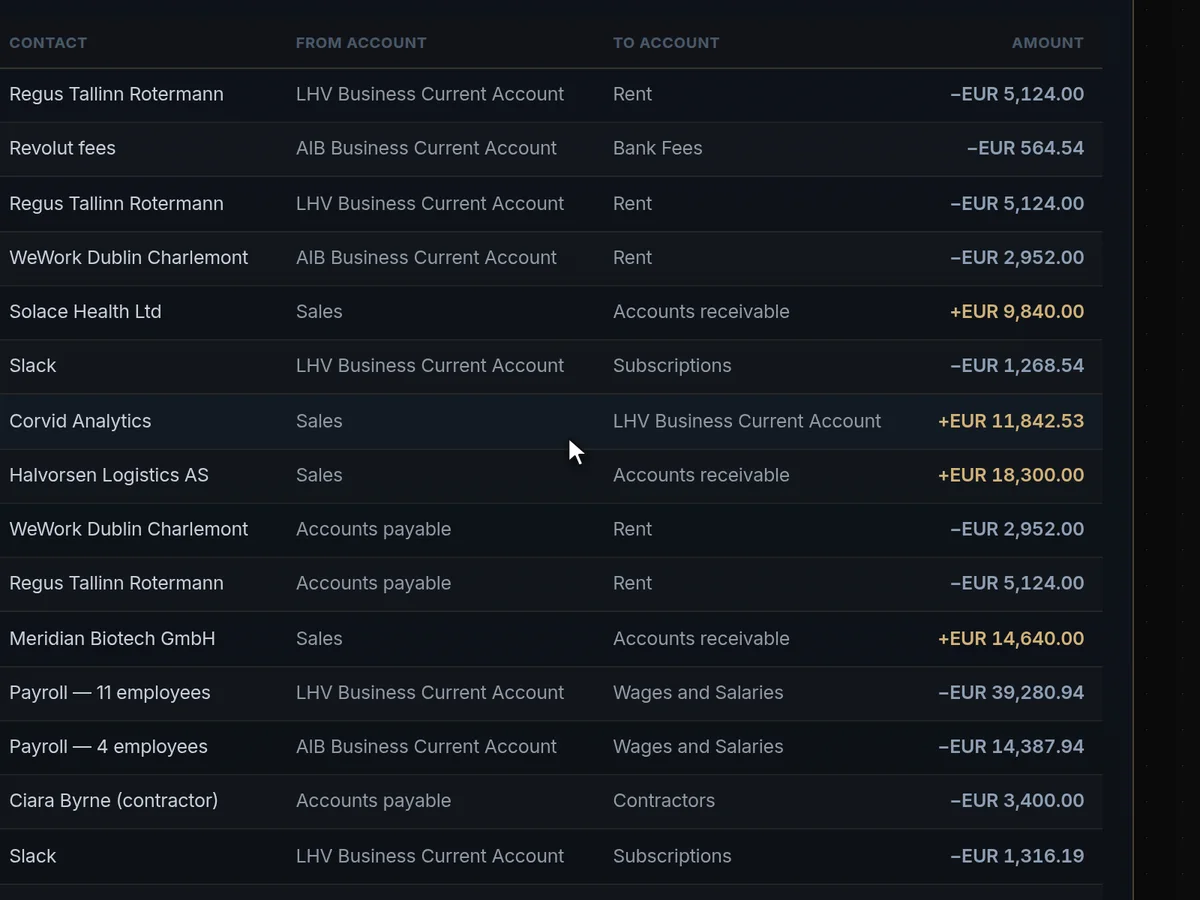
Ask what a payment is, and whether it’s right.
Open any line in the reconciled ledger and ask Engine117 to investigate it. It explains what the payment was for and flags what looks out of the ordinary, such as the same rent paid twice.
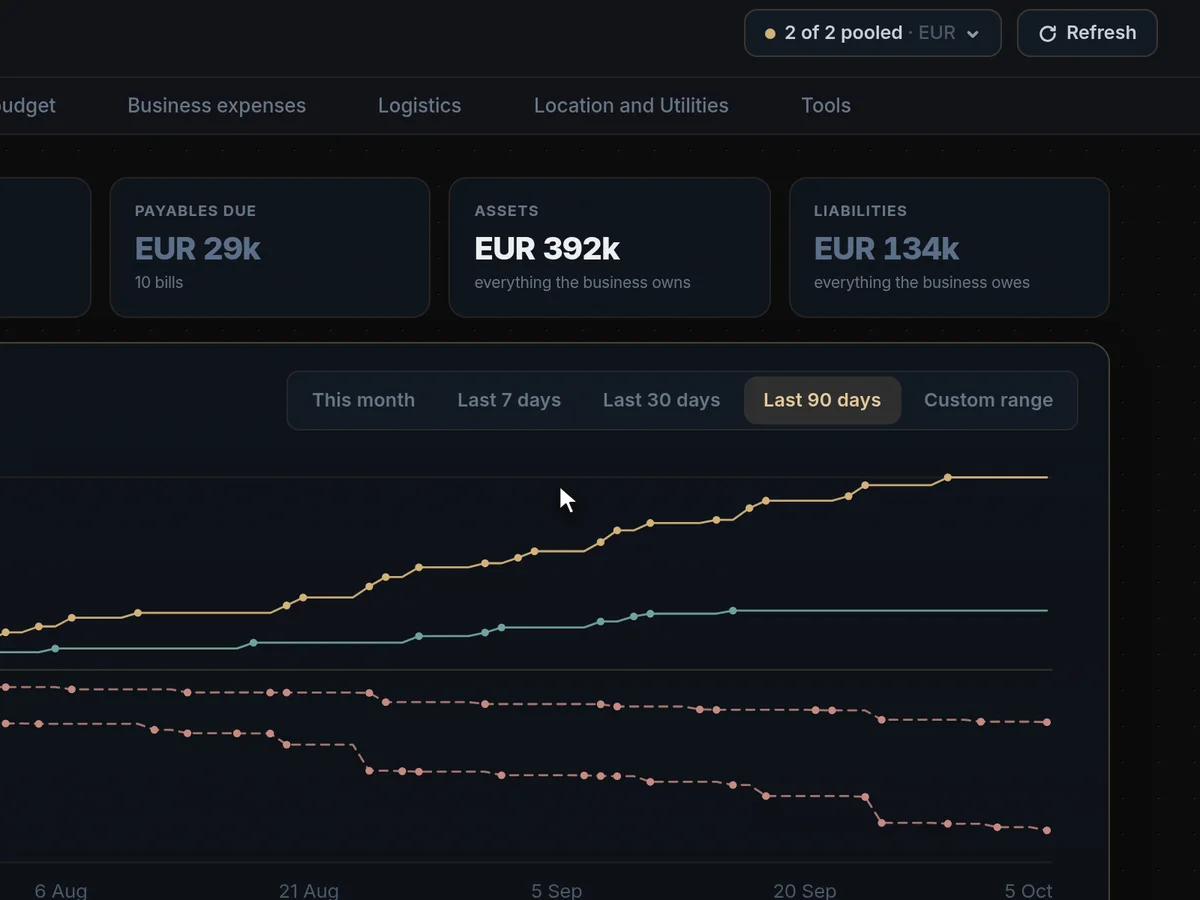
One group, or one company at a time.
Connect several organisations and they pool into one view. Untick an entity and every figure recalculates without it.
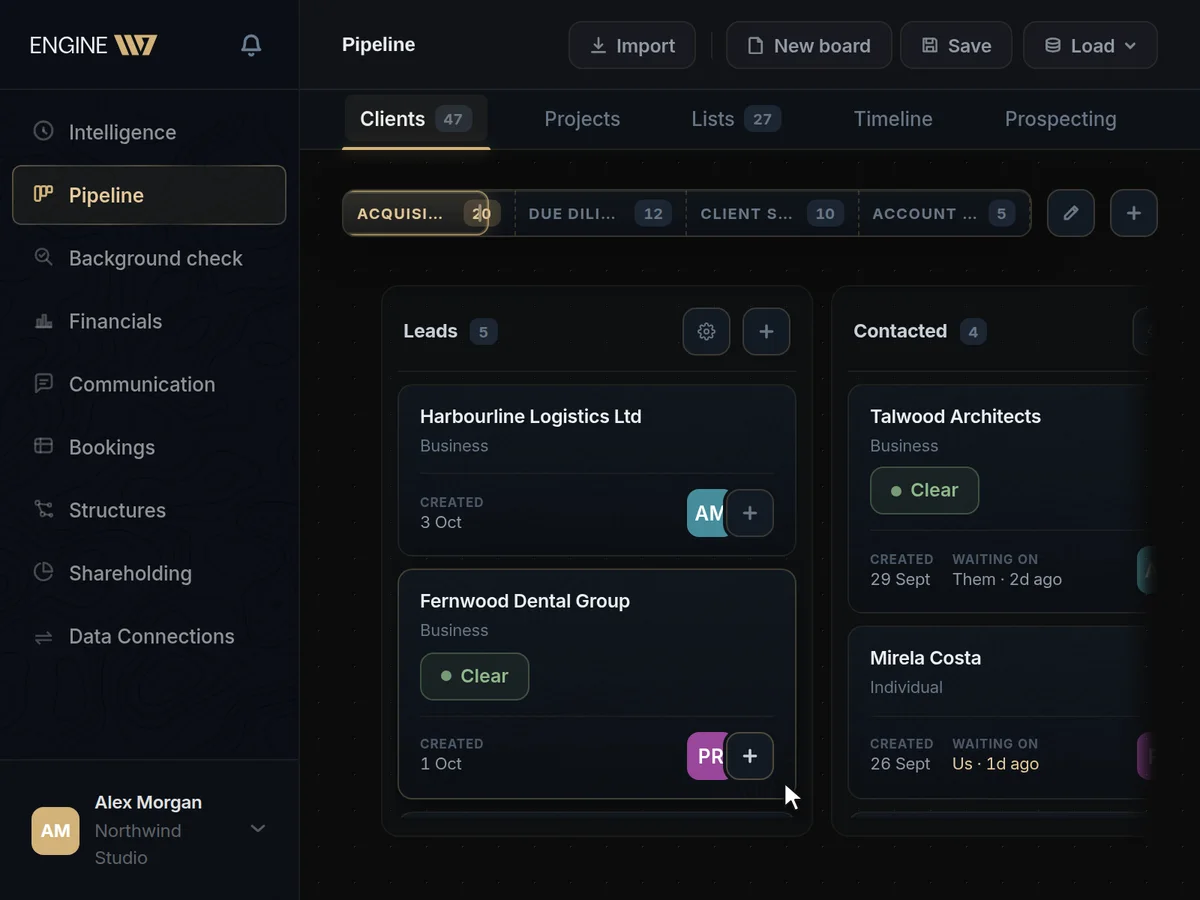
Know who you are dealing with.
Check a client or partner against registries, sanctions lists and adverse media, and file the verdict, the risk rating and the decision on their record.
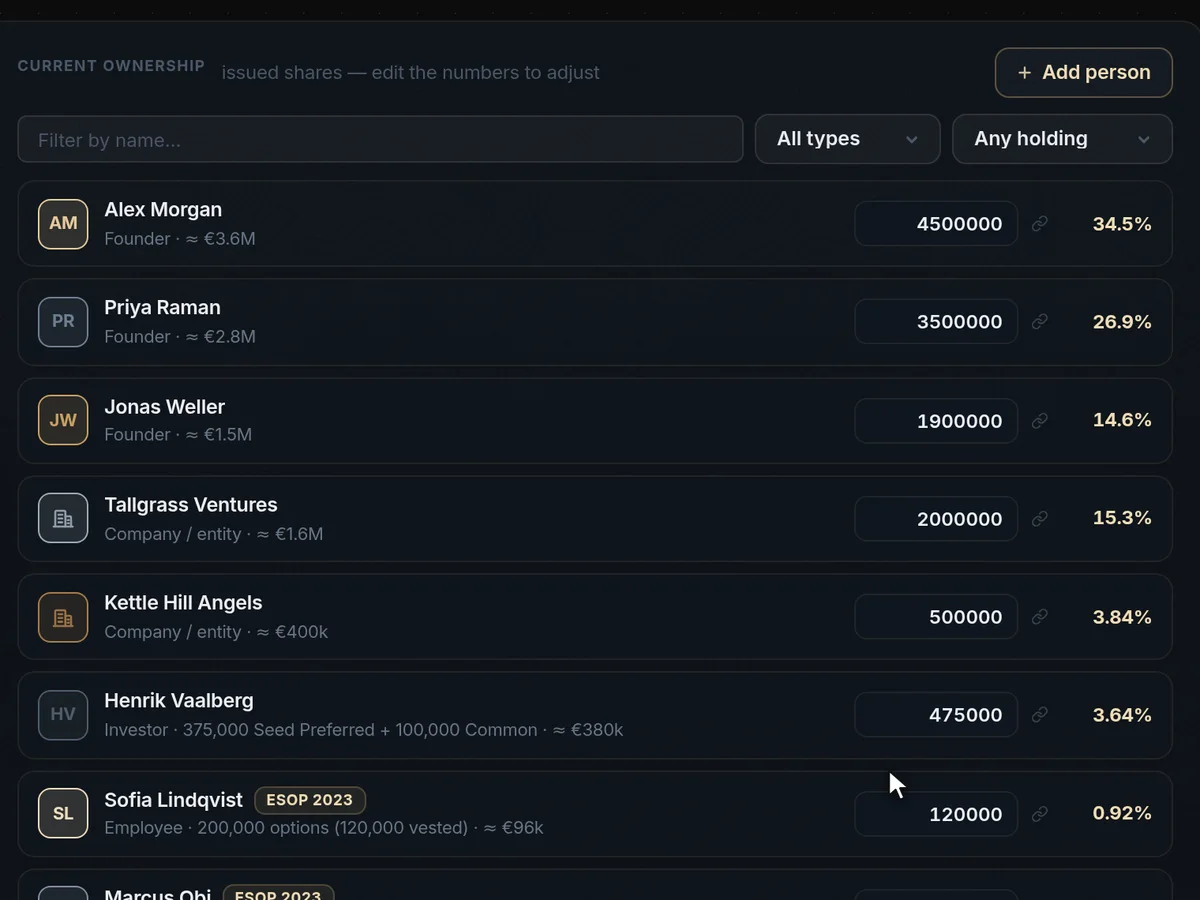
Change the table, and the maths follows.
Set a holder’s percentage on the cap table. Engine117 works out the shares to issue, rebalances everyone else and records it in the ledger.
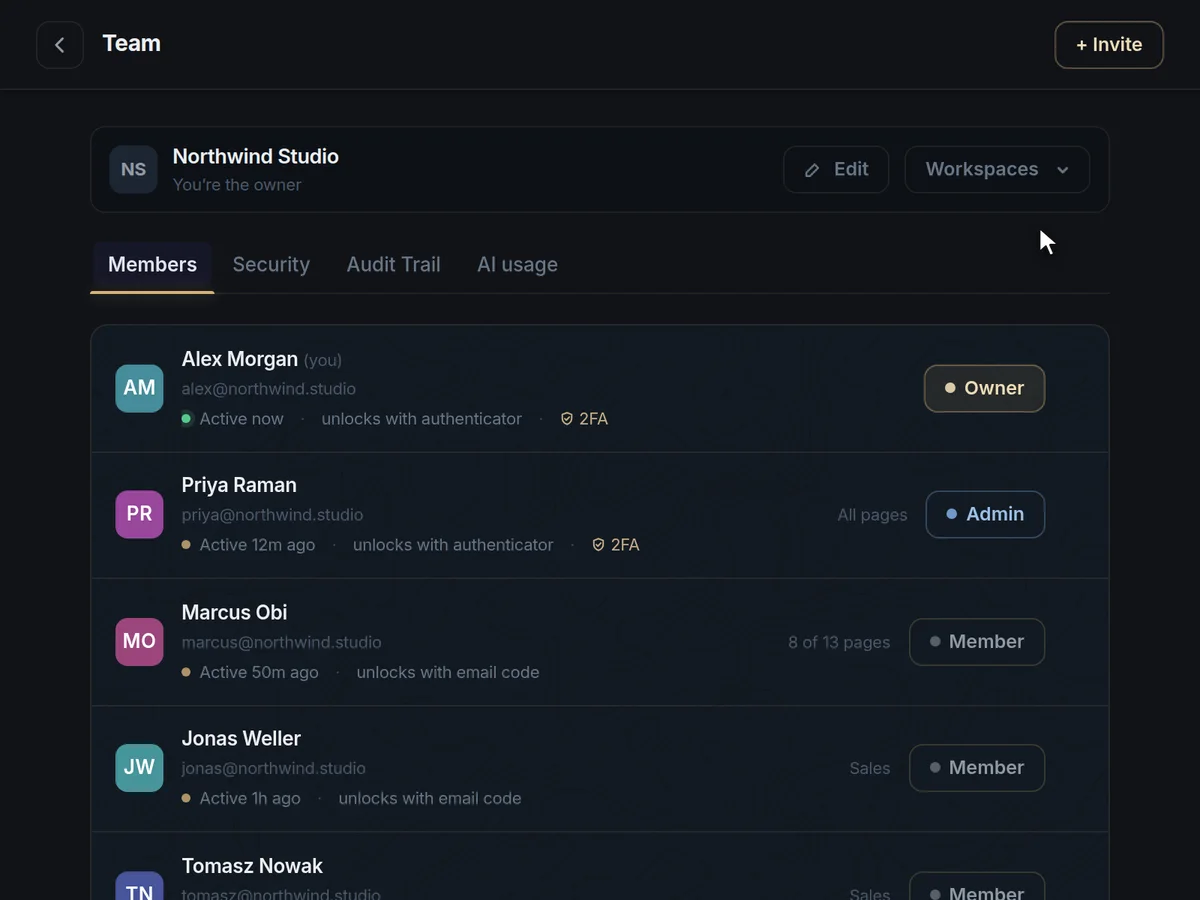
Control over who sees what.
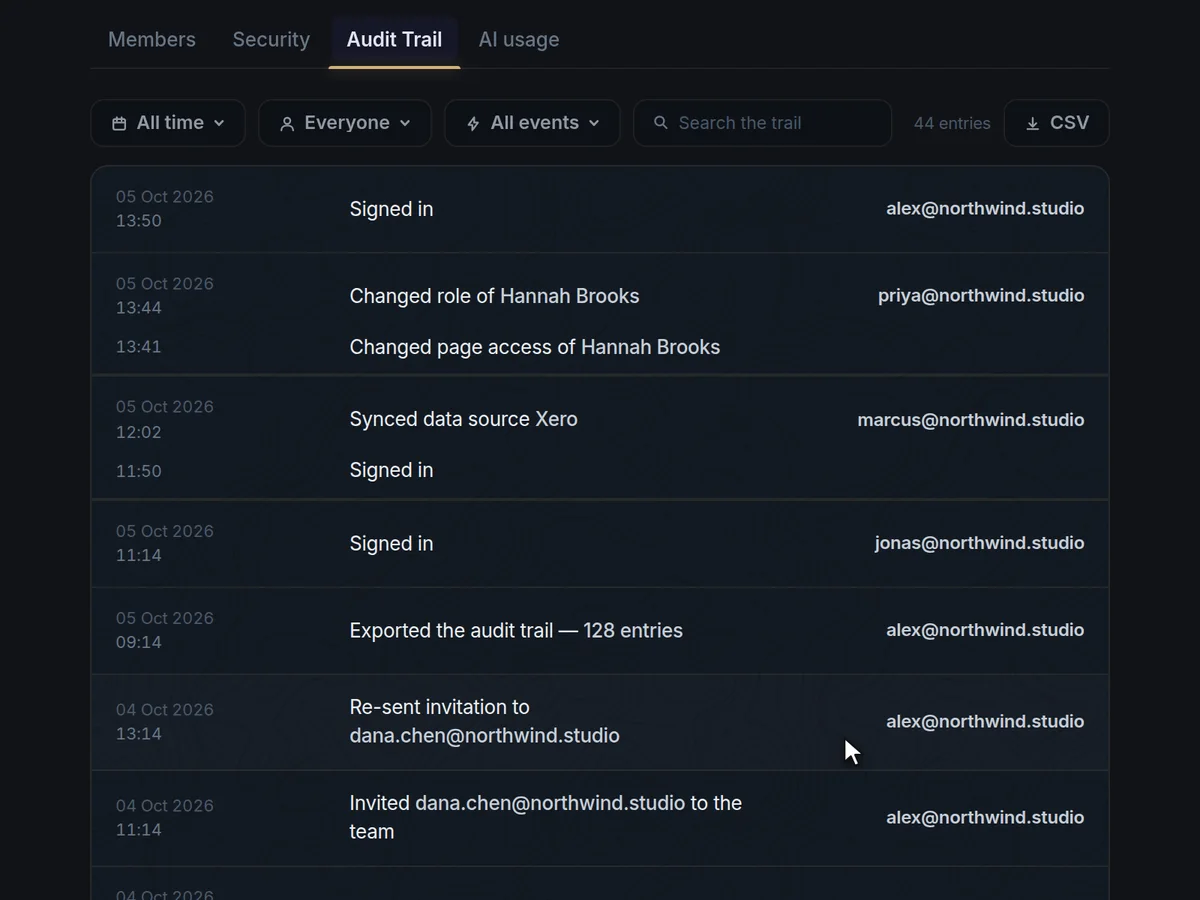
A record of who did what.
Business administration, answered
What does Engine117 do for the back office?
Budgets and cash flow read from your own books, payment screening by AI, background checks on clients and partners, and share allocations on a live cap table, all with a record of who did what.
It replaces month-end surprises with a day-by-day view of money in and out, questions nobody asked about payments with an assistant that investigates them, and the cap-table spreadsheet with a share ledger that does the maths.
It is aimed at finance and operations leads, company secretaries, compliance officers and founders who carry the administration themselves.
How does payment screening work?
Open any line in the reconciled ledger and ask Engine117 to investigate it. It explains what the payment was for and flags what looks wrong, such as the same rent paid twice.
It reads your connected accounting data, read-only, so the answer is about your business. The decision on what to do stays with you.
It is the question an experienced bookkeeper would ask when something looks odd, asked of every payment you choose, in seconds.
Which sources do background checks use?
Official company registers, sanctions and politically exposed persons lists, and adverse media. The verdict, a risk rating and your decision are filed on the client’s record.
Live register lookups cover Estonia, Norway and Finland, alongside the global LEI database and EU VAT validation. Sanctions screening uses consolidated international lists, including OFAC, and news is searched across languages with sources cited.
Each check is stored as a dated report on the client or partner’s record, so you can show what you knew at the time of a decision.
Can we manage a group of companies?
Yes. Connect several organisations and they pool into one view. Untick an entity and every figure recalculates without it. The ownership structure shows how they hang together.
Click any company in the structure to see who owns it, what it owns and its ultimate beneficial owners.
Is it suitable for regulated or public-sector organisations?
It is built for organisations that answer to auditors: roles, per-page access, two-step login for everyone, an exportable activity log and read-only connections to your systems.
Personal data is processed under a GDPR Data Processing Addendum, by an EU company.
Can the AI change or delete our data?
No. Accounting, analytics and database connections are read-only, and the AI’s tools can only look things up. Nothing is written back to your systems.
Every query the assistant runs is limited to your own workspace. Your accounting software, for example, is connected with read-only permissions, so even a wrong answer cannot corrupt a ledger.
Does it support two-step login?
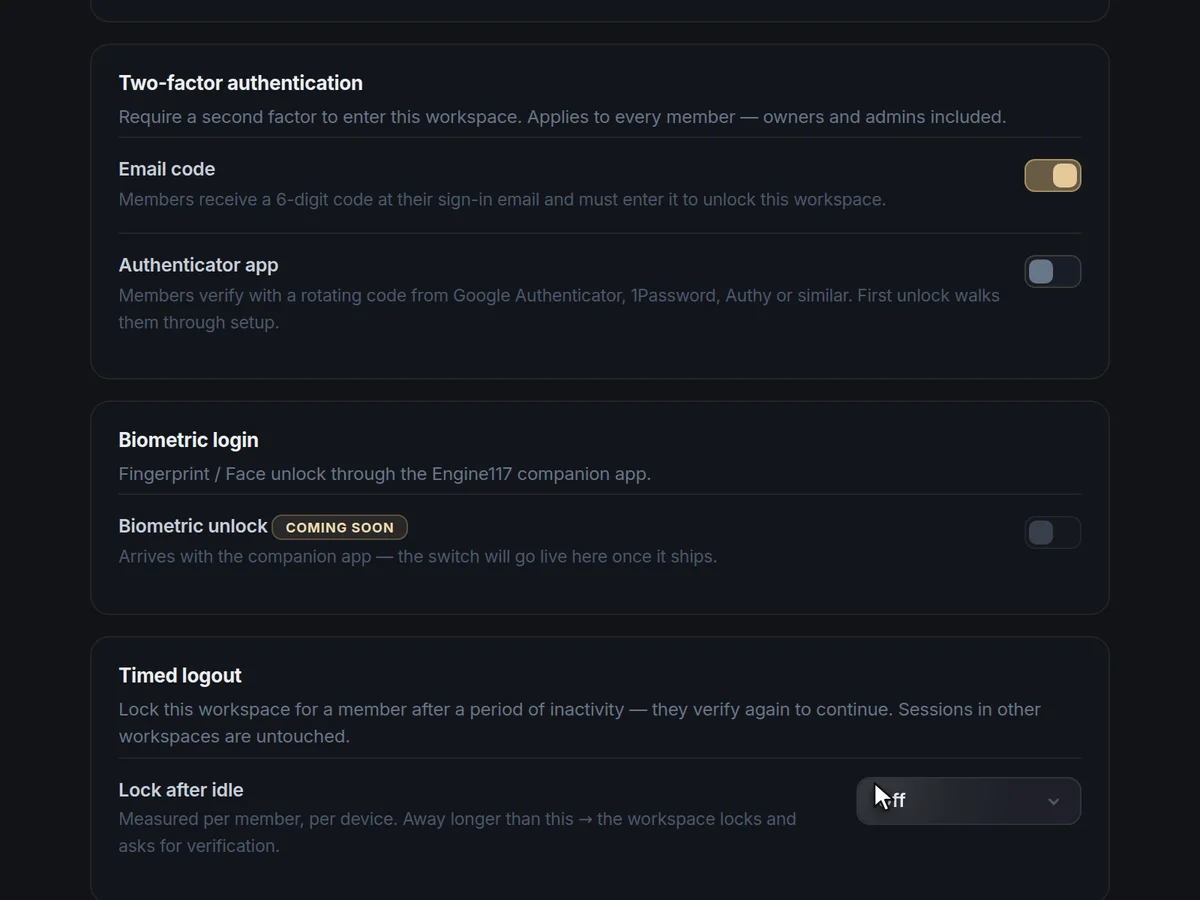
Yes. A workspace can require an email code, an authenticator app, or both, for everyone. It can also lock itself after a set idle time.
Owners and admins can lock a person out or log them out everywhere.
Can we keep an audit trail?
Yes. The activity log records logins, role and access changes, security settings, connected sources, clients and projects, and you can filter it and export it as CSV.
Together with dated background-check reports and the share ledger’s history of events, it gives an auditor a clear record of who did what and when.
Does it replace our accounting software?
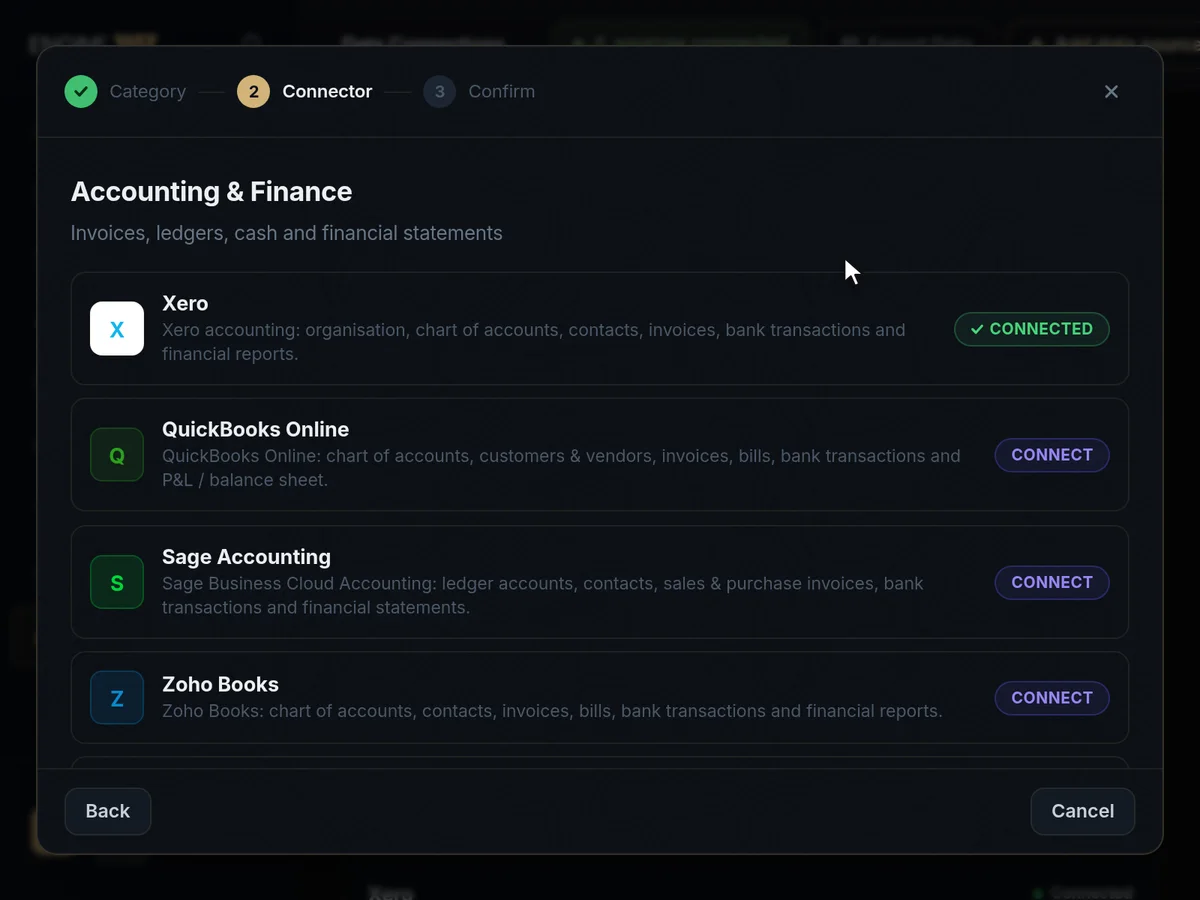
No. It reads from it. Your books stay where they are, and Engine117 adds daily visibility, payment screening and a group view on top.
Supported systems include Xero, QuickBooks Online, Sage, Zoho Books, Odoo, Visma eAccounting, Oracle NetSuite and Merit Aktiva.
Can we manage company ownership and share allocations?
Yes. The cap table works out the shares to issue when you change a holding, records it in the share ledger and keeps the group structure and beneficial owners in view.
You can see the cap table as it stood on any date and export it as CSV.