Booking system for client, resource and pipeline scheduling.
Book meetings, working areas, appointments, tool rentals or machine time quickly — even when the people involved are in different time zones.
Click a free slot, and it’s booked.
People, rooms, desks, kit and machines sit on one timeline. Click any free stretch of a row and the booking starts there — resource, day and time already filled in. Name the client, pick the type and the length follows from it.
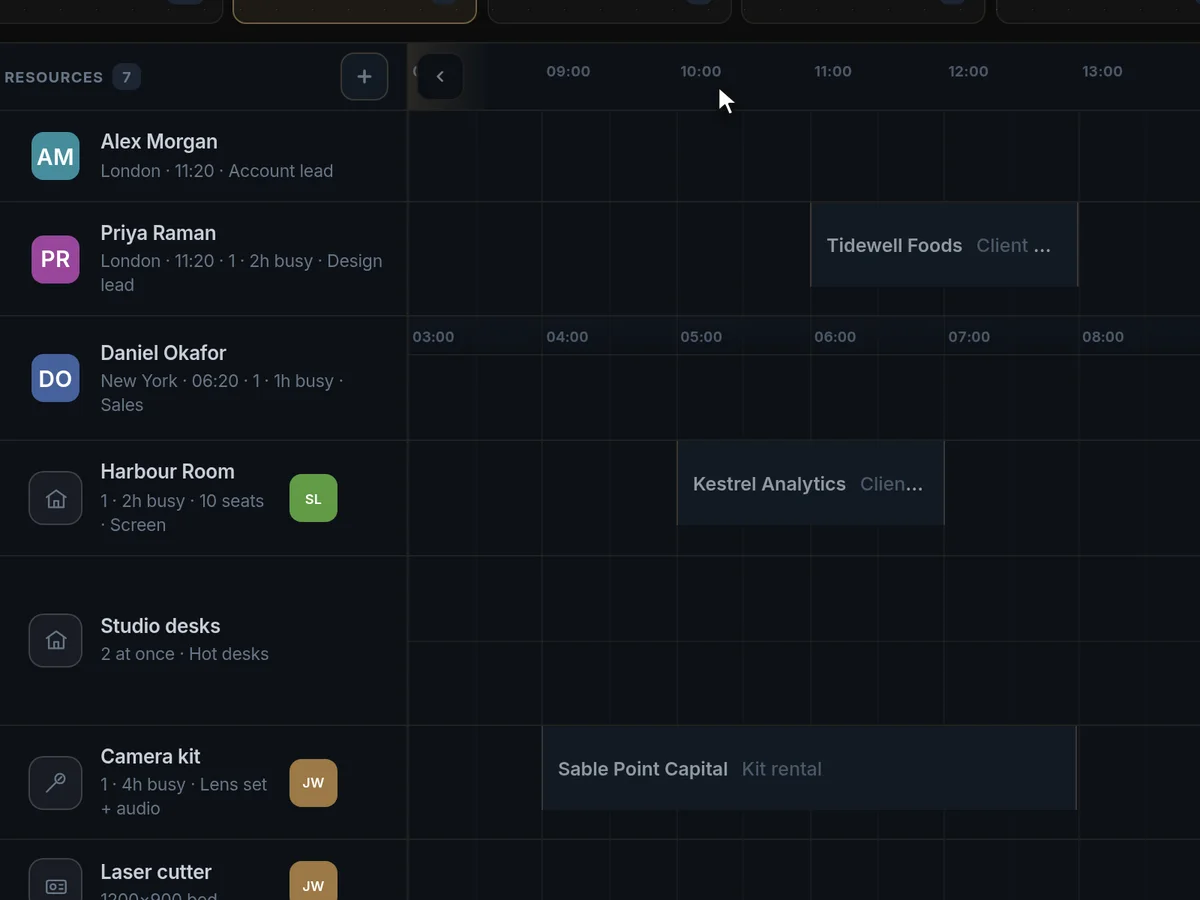
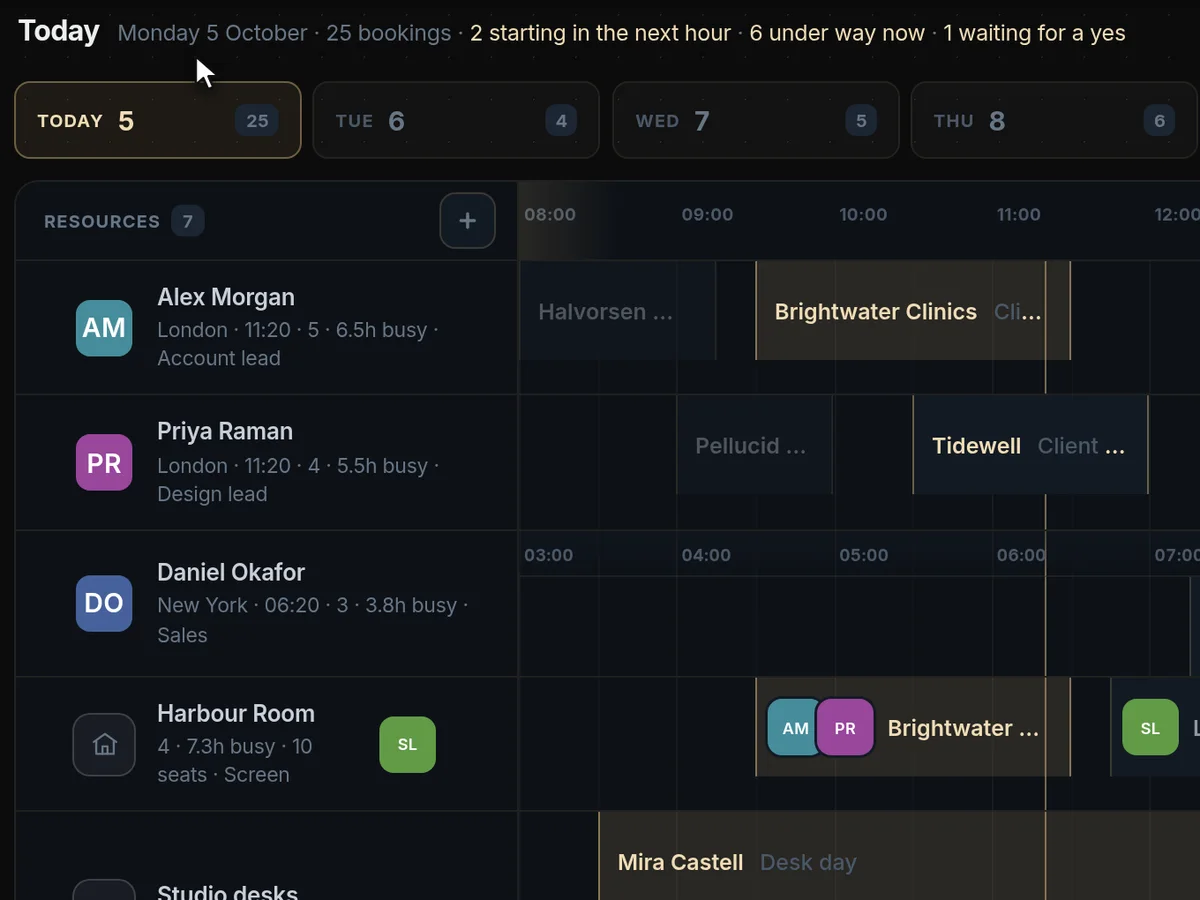
See the whole day before it starts.
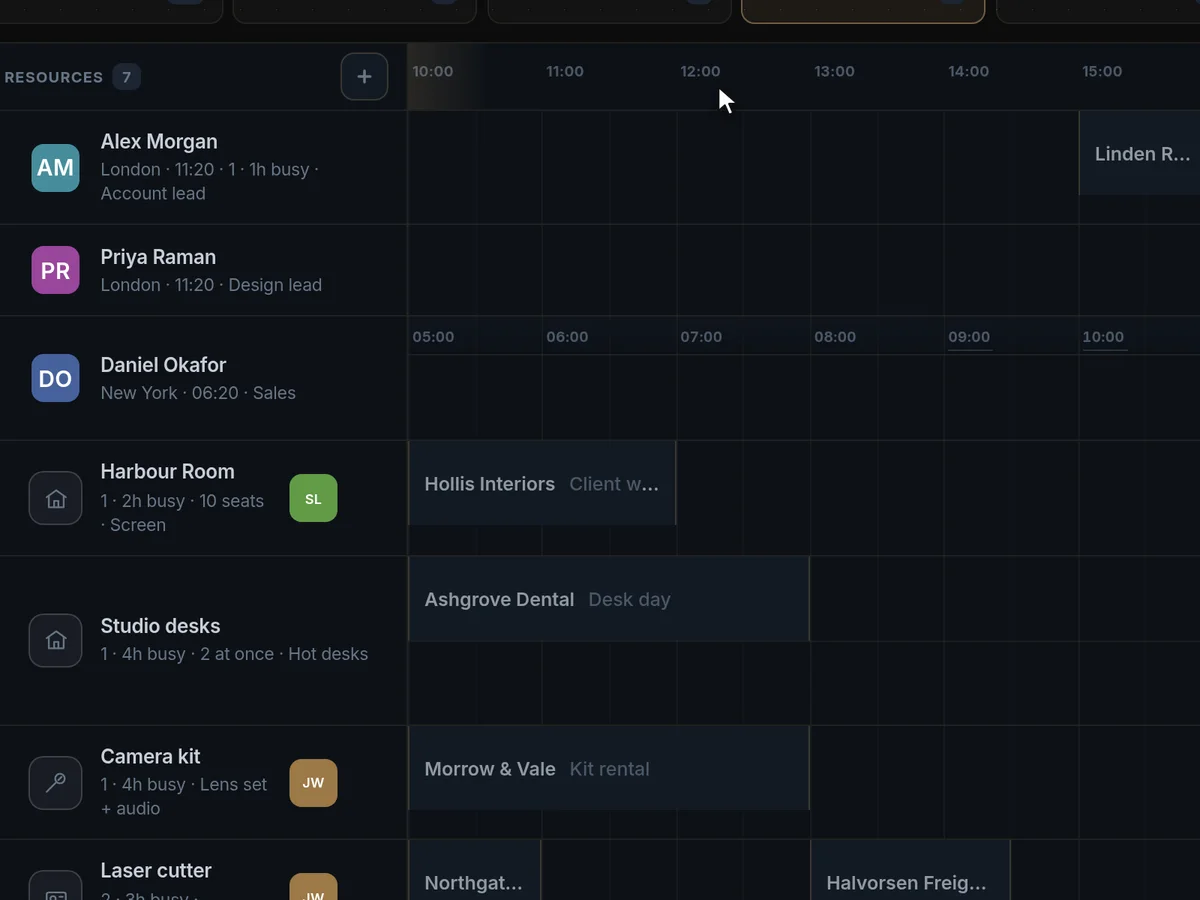
Each day says what is coming: how many bookings, what starts in the next hour, what is under way and what is still waiting for a yes. Step through the week with the day chips and every person’s load updates with it.
Nobody gets booked in the middle of the night.
Colleagues abroad keep their own hours on their row, beside yours. Pick a time that falls outside someone’s day and Engine117 says so, then finds the next slot inside it — or a time that works for both.
Bookings, answered
What can we book with Engine117?
People, rooms, desks, equipment, tool rentals and machine time, all on one timeline. Meetings, appointments and working areas are booked the same way.
Each person or resource is a row. Click any free stretch of a row and the booking starts there, with the resource, day and time already filled in. Name the client and pick the booking type, and the length follows from it.
Booking types carry their own default length, so a 30-minute consultation, a half-day machine slot and a week-long equipment rental all start from the right duration.
Can clients book a time themselves?
Yes. Share a booking link and clients pick a free slot without needing an account. The booker’s time zone is picked up automatically.
Bookings made through the link land on the same timeline as the ones your team makes, so nothing is double-booked.
The link shows only times that are actually free, after your team’s bookings and any busy times from connected calendars are taken into account. That removes the back-and-forth emails that usually come before an appointment.
Does it sync with Google Calendar or Outlook?
Google Calendar syncs both ways: busy times come in and bookings go out as events. Outlook and Apple calendars share busy times through their calendar feed.
The Outlook and Apple connection is read-only: it keeps those busy times off-limits for booking, but bookings are not written back into those calendars.
Most teams connect Google Calendar for the people who live in it, and share the calendar feed for anyone on Outlook or Apple, so personal commitments are respected without anyone copying them over by hand.
How does it handle different time zones?
Each person keeps their own working hours in their own time zone. Book outside someone’s day and Engine117 says so, then finds the next slot inside it, or a time that suits both.
Colleagues abroad sit on their own row beside yours, so a team spread across countries books on one timeline without anyone doing time-zone sums.
How do we avoid double bookings?
Everything is on one live timeline, so a clash is visible before it happens, and busy times from connected calendars block those slots.
Each day also shows what is coming: how many bookings, what starts in the next hour, what is under way and what is still waiting for a yes.
Because people, rooms and machines share one timeline, everyone books against the same live picture instead of their own copy of it.
Can we see each person’s workload?
Yes. Step through the week with the day chips and every person’s load updates with it, so you can see who is stretched and who has room.
It is the same view whether you are scheduling people, rooms or machines.
Is there a mobile app?
Engine117 runs in the browser and adapts to phones and tablets. There is no separate app to install.
Everything you can do on a desktop is in the same web app, at app.engine117.com.
Is it a replacement for Calendly or a room booking system?
It covers both. Clients book through a link like they would with a scheduling app, and your team books people, rooms and machines on a shared timeline like a resource planner.
The difference is that bookings are connected to the client pipeline, the client’s conversation room and the rest of the business, instead of living in a separate tool.
Who can see and change bookings?
That follows the workspace’s roles and per-page access. Viewers can see the schedule without changing it, and you choose which members can open Bookings at all.
Changes are recorded in the activity log with who made them and when.