Unified organizational and client communication.
Team communication for internal teams and outside partners. Pull your client communication from email and chat into one flow, and know exactly where every project is.
Talk where the work is.
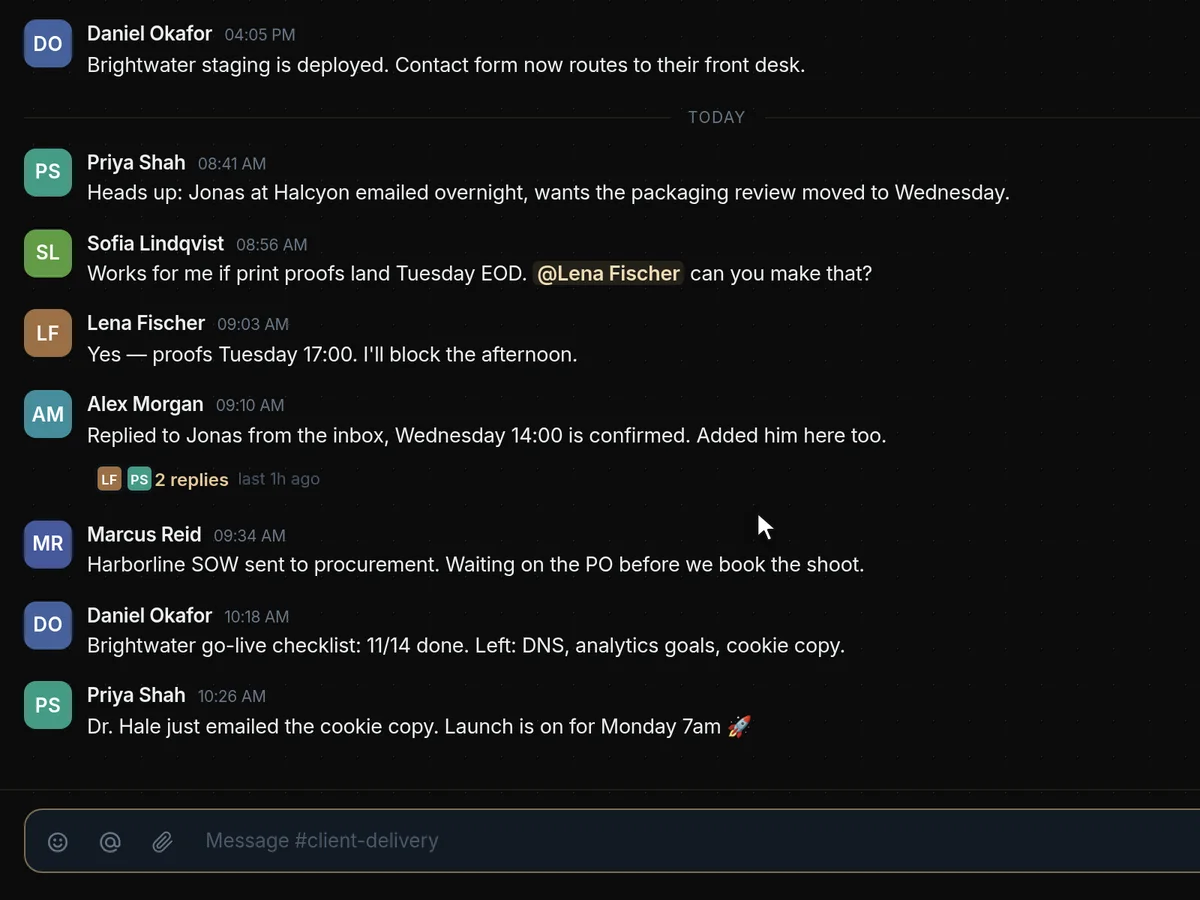
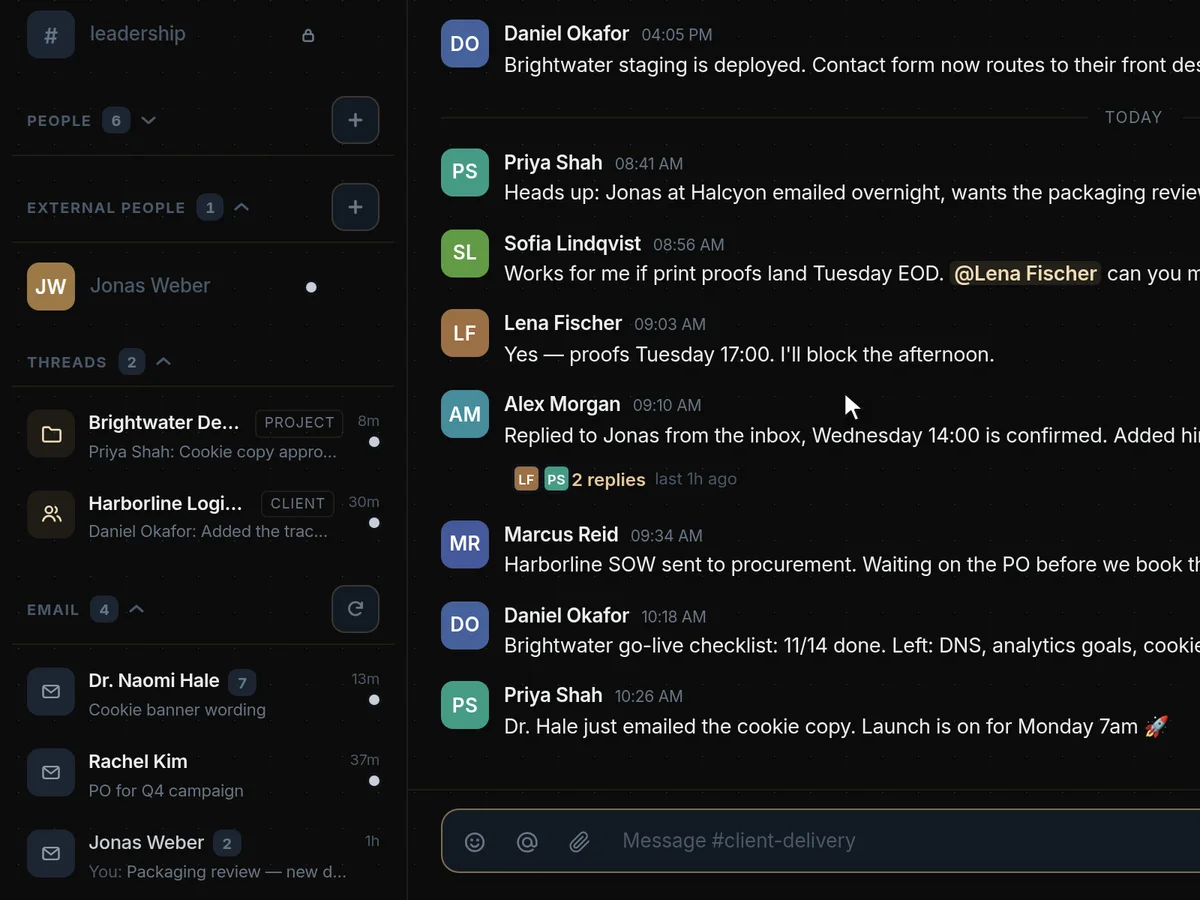
Channels for every part of the business, with @mentions that pull the right colleague in. Type a name, pick them from the list and send — the message lands in the conversation for the whole team to see.
Client email, in the same place as the team.
Connect your inbox and client emails sit in the sidebar beside your channels. Open one to read the whole thread, sent and received, and reply from the shared address without switching to another app.
A room for every client and project.
Each client and project gets its own room, so the conversation about it never gets lost in a general channel. Every room links straight back to the client’s file or the project it belongs to.
Communication, answered
What does Engine117 replace for team communication?
Your team chat and the shared inbox. Channels, @mentions, client email and a room for every client and project sit in one place, next to the work they are about.
Type @ and a name to pull a colleague into the conversation. Every client and project room links straight back to the client’s file or the project it belongs to, so the conversation never drifts away from the work.
Because conversations sit next to the work, a new colleague joining a project can read its room from the start and catch up without a briefing.
Which email accounts can we connect?
Gmail and Google Workspace today. Client emails then sit beside your channels, and you read whole threads and reply from the shared address without switching apps.
Outlook and Microsoft 365 are on the way.
Connected email is linked to the right client, so a client’s file shows the conversation with them alongside the pipeline stage and bookings.
Can we talk to people outside our company?
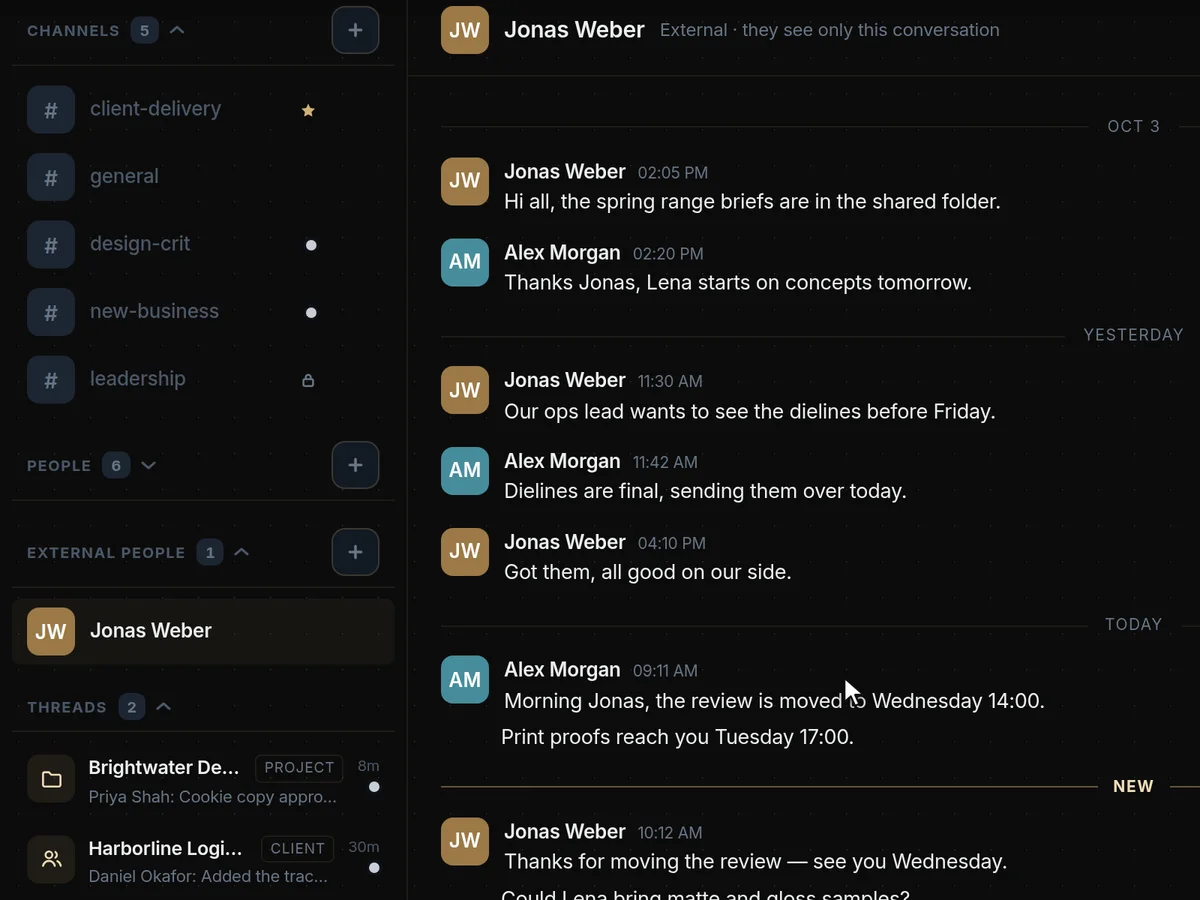
Yes. Add someone from another Engine117 workspace by email and they join that one conversation, and nothing else.
They never see your other channels, clients or projects.
This is useful for working with accountants, lawyers, suppliers and partners on a specific project without giving them a seat in your workspace.
Does it work with WhatsApp or Slack?
Not as chat yet. WhatsApp is on the way. Alerts can already be sent to a Slack channel.
Website chat from Crisp can be connected so those conversations are part of the picture.
How is this different from Slack or Teams?
The conversation lives next to the client record, the project and the bookings it is about, and client email is in the same sidebar, so you are not stitching three tools together.
The same roles and per-page access that protect the rest of the workspace protect the conversations too.
You also avoid paying for and administering a separate chat tool, and the conversation history stays in the same place as the client and project records it relates to.
Can we control who sees what?
Yes. Every person is an owner, admin, member or viewer, and you choose which pages each member or viewer can open. Viewers can look but never change anything.
You can save a set of pages as a template for the next hire, and invitations expire and can be withdrawn. Every login, role change, access change and security setting is recorded in the activity log, which you can filter by person, type and date and export as CSV.
Is there a mobile app?
Engine117 runs in the browser and adapts to phones and tablets. There is no separate app to install.
Everything you can do on a desktop is in the same web app, at app.engine117.com.
Are messages kept private within the team?
Yes. Conversations belong to your workspace, are protected by the same roles and per-page access as everything else, and are never used for our own marketing.
External people added to a conversation see only that one conversation.