Financial and accounting data analysis.
Connect your accounting to your projects and clients, and analyse it for anything out of the ordinary. Money in and out, read from your own ledger rather than typed again.
See where the money goes, day by day.
Money in and money out for every entity, read straight from your ledger. Switch the range and the chart redraws; follow a line and it tells you what came in that day, the running total and how many transactions made it up.
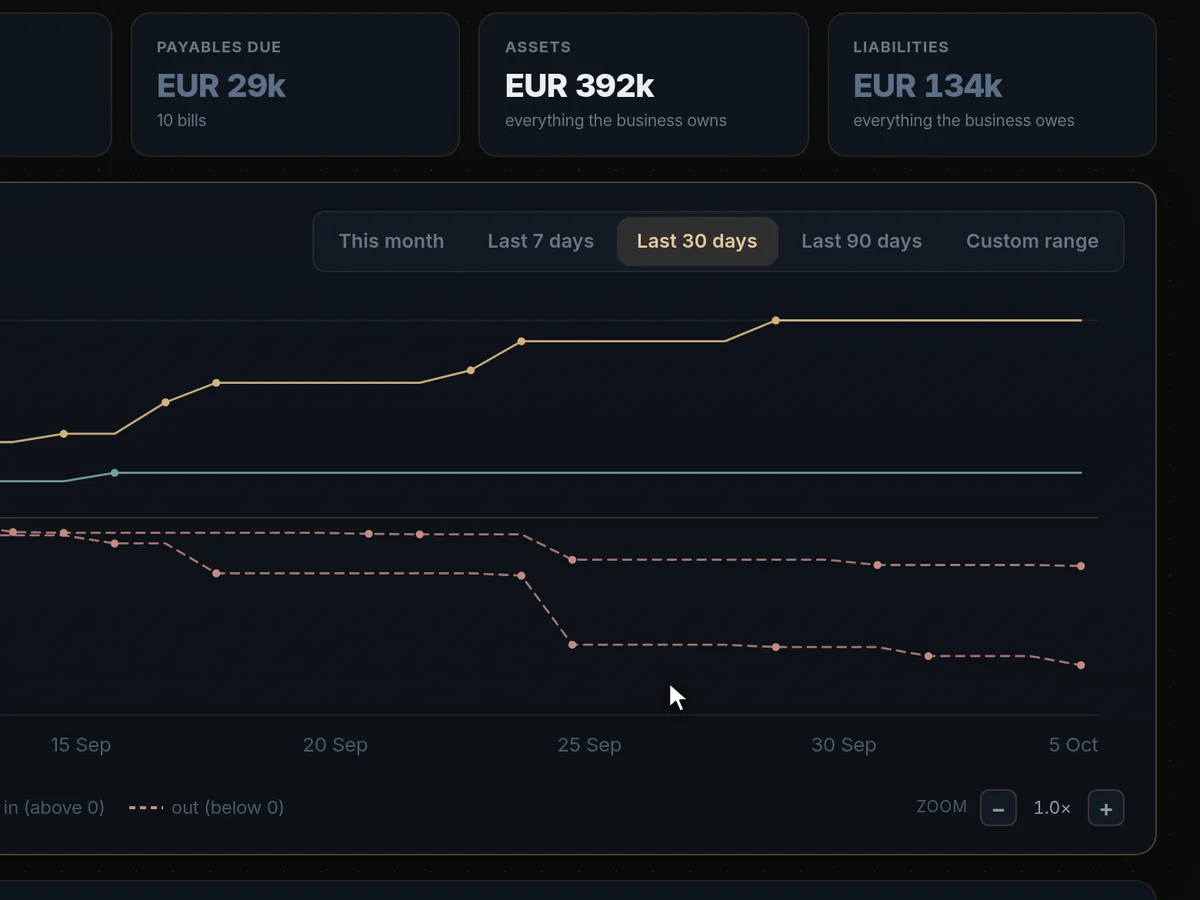
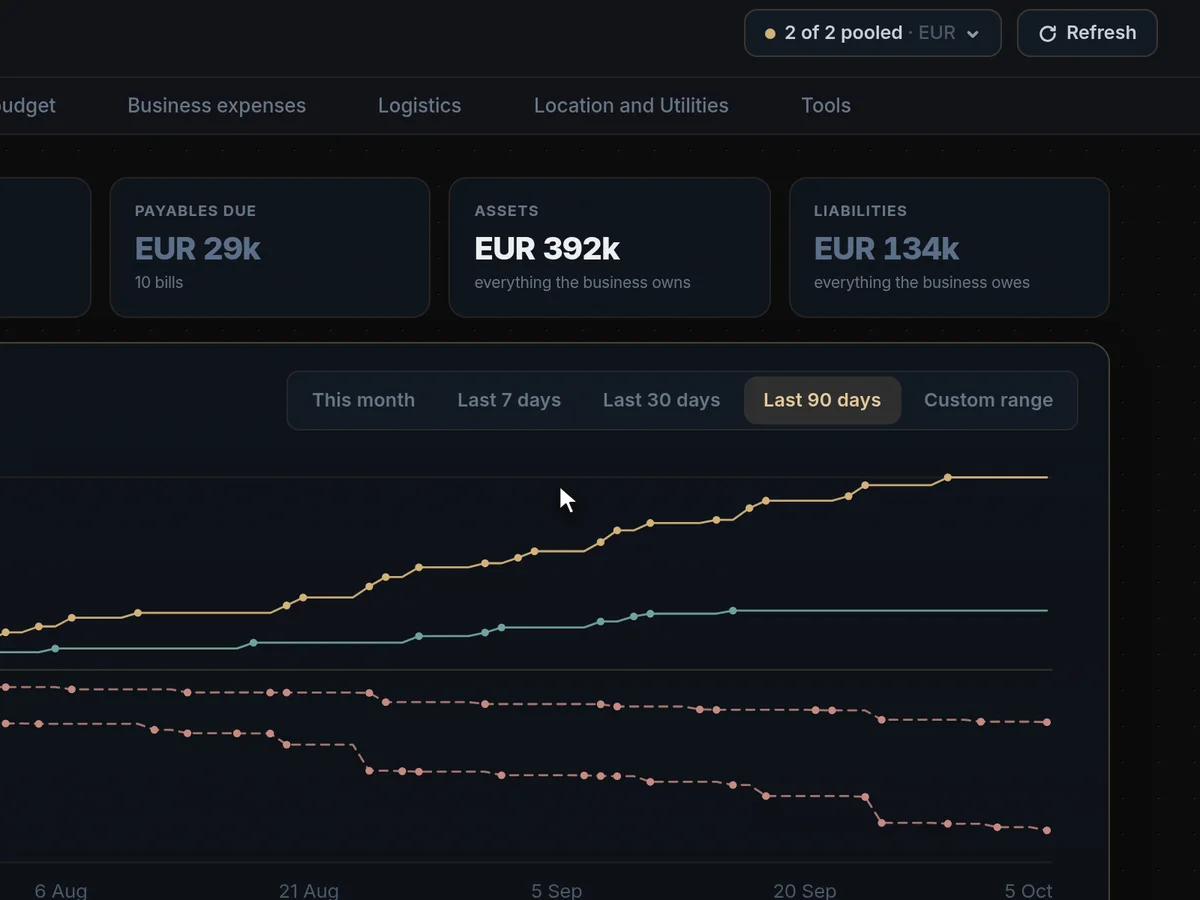
One group, or one company at a time.
Connect several organisations and they pool into one view, so a group and its subsidiaries read as one business. Untick an entity and every figure — payables, assets, liabilities, the chart — recalculates without it.
Ask what a payment is, and whether it’s right.
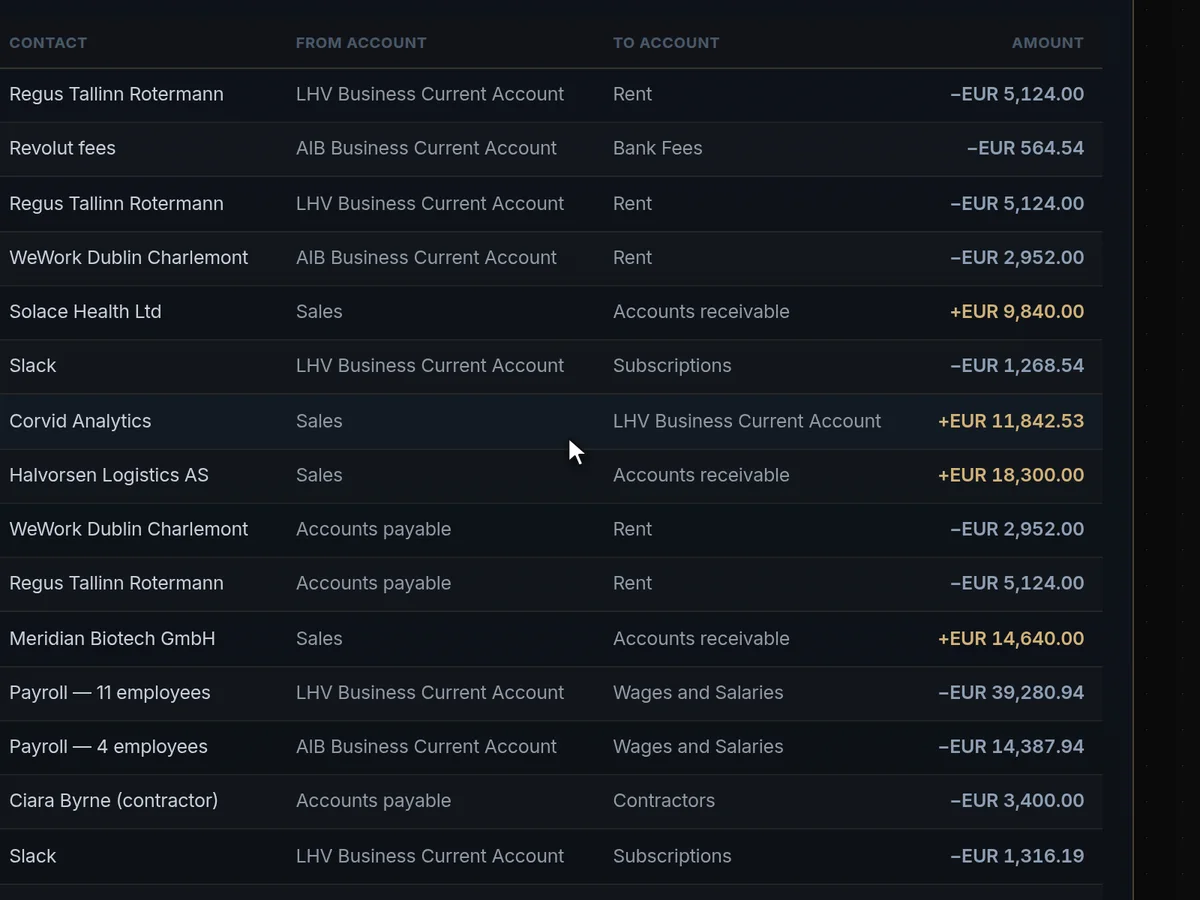
Open any line in the reconciled ledger for its full detail, then ask Engine117 to investigate it. It reads your connected data to explain what the payment was for, what looks out of the ordinary — such as the same rent paid twice — and what to do about it.
Financials, answered
Which accounting software does it connect to?
Xero, QuickBooks Online, Sage, Zoho Books, Odoo, Visma eAccounting, Oracle NetSuite and Merit Aktiva. Any other system with an API can be connected through a custom connection.
Money in and out is read straight from your own ledger, so nothing has to be typed in twice or exported to a spreadsheet.
Connecting takes a few minutes: log in to your accounting software, approve read access, and the first sync runs automatically. After that, data is kept up to date in the background.
Does Engine117 change anything in our books?
No. The connection is read-only: nothing is ever written back to your accounting software.
With Xero, for example, Engine117 asks only for read permissions. The AI can explain a transaction, but it cannot post, edit or delete one.
That separation is deliberate. Your accounting system stays the single source of truth, and Engine117 is the place where you understand it in the context of your clients and projects.
What does the AI check for?
Ask about any line in the reconciled ledger and it explains what the payment was for, what looks out of the ordinary, such as the same rent paid twice, and what to do about it.
It reads your connected data to answer, so the explanation is about your business, not a generic one. Check its findings before acting on them.
Typical findings are duplicate payments, payments to unfamiliar recipients, amounts that differ from the usual pattern, and transactions that do not match what an invoice says.
Can we see several companies together?
Yes. Connect several organisations and they pool into one view, so a group and its subsidiaries read as one business. Untick an entity and every figure recalculates without it.
Payables, assets, liabilities and the cash-flow chart all follow the selection.
This suits holding companies, groups with subsidiaries in several countries, and accountants who look after more than one company.
Does it handle multiple currencies?
Each invoice and transaction keeps its own currency, and each organisation shows its base currency. Engine117 does not invent exchange rates.
Figures are read as your accounting software records them.
Can we export the numbers?
Yes. Reports and the assistant’s tables and charts export to CSV and Excel.
The underlying ledger stays in your accounting software, where it belongs.
Can we control who sees what?
Yes. Every person is an owner, admin, member or viewer, and you choose which pages each member or viewer can open. Viewers can look but never change anything.
You can save a set of pages as a template for the next hire, and invitations expire and can be withdrawn. Every login, role change, access change and security setting is recorded in the activity log, which you can filter by person, type and date and export as CSV.
Is it a replacement for our accountant?
No. It helps you understand your numbers day to day and spot problems early. Your accountant still keeps the books, files returns and gives professional advice.
Many teams find their accountant conversations get shorter, because the questions arrive with the transactions already investigated.
How often is the data updated?
The connection syncs automatically in the background after the first import, so the charts and the ledger reflect what your accounting software holds.
You can see when each source last synced on the Data Connections page.
Who can see the financial data?
Only the people you allow. Financials can be restricted to owners, admins and the specific members you grant, and viewers can read without changing anything.
Every access and settings change is recorded in the activity log.