Complete client pipeline and management.
Find new clients, check their background, co-ordinate sales actions, and manage client projects and their costs — on one board, from first contact through to delivery.
Move clients forward in one drag.
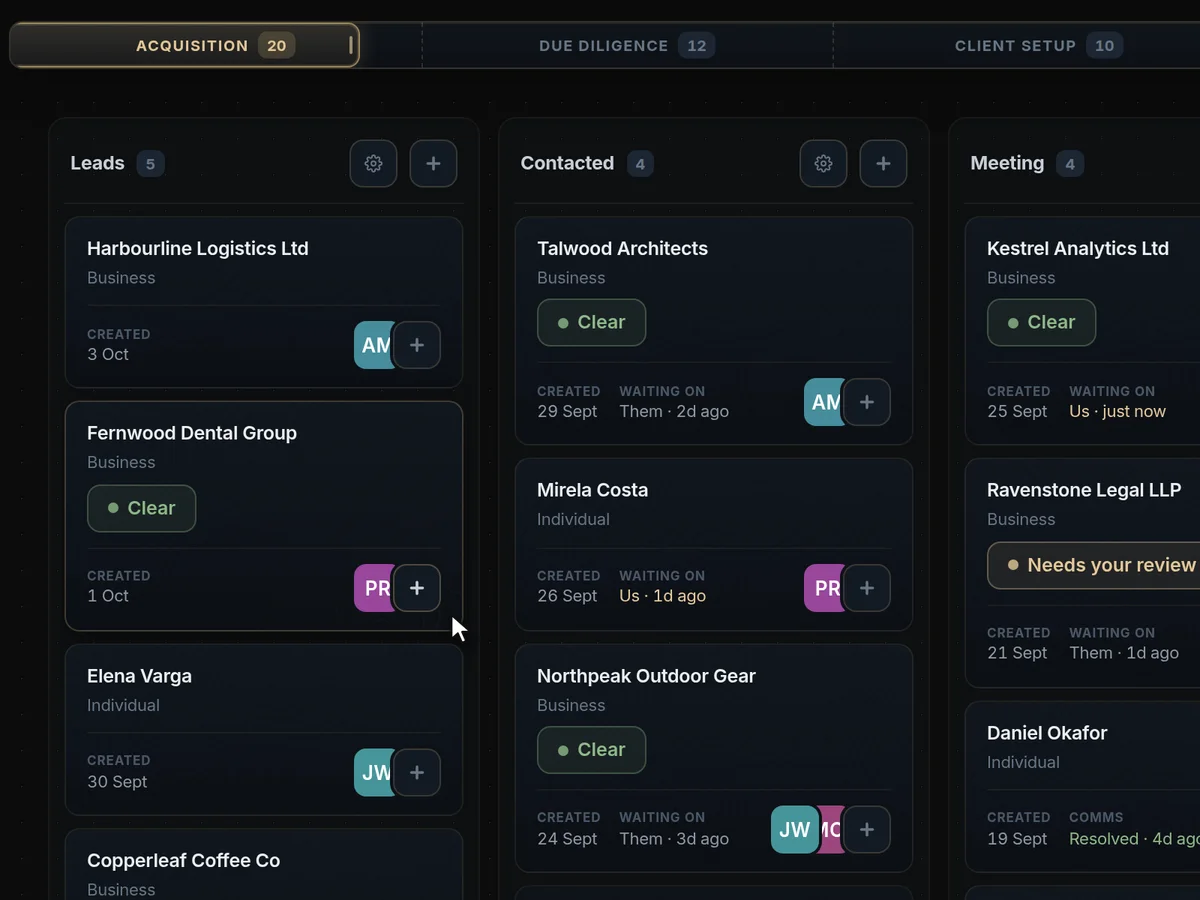
Every client sits on one board, in the stage they have reached. When something moves on, drag the card to the next column — it lands at the top and the counts update, so everyone sees the same picture without a status meeting.
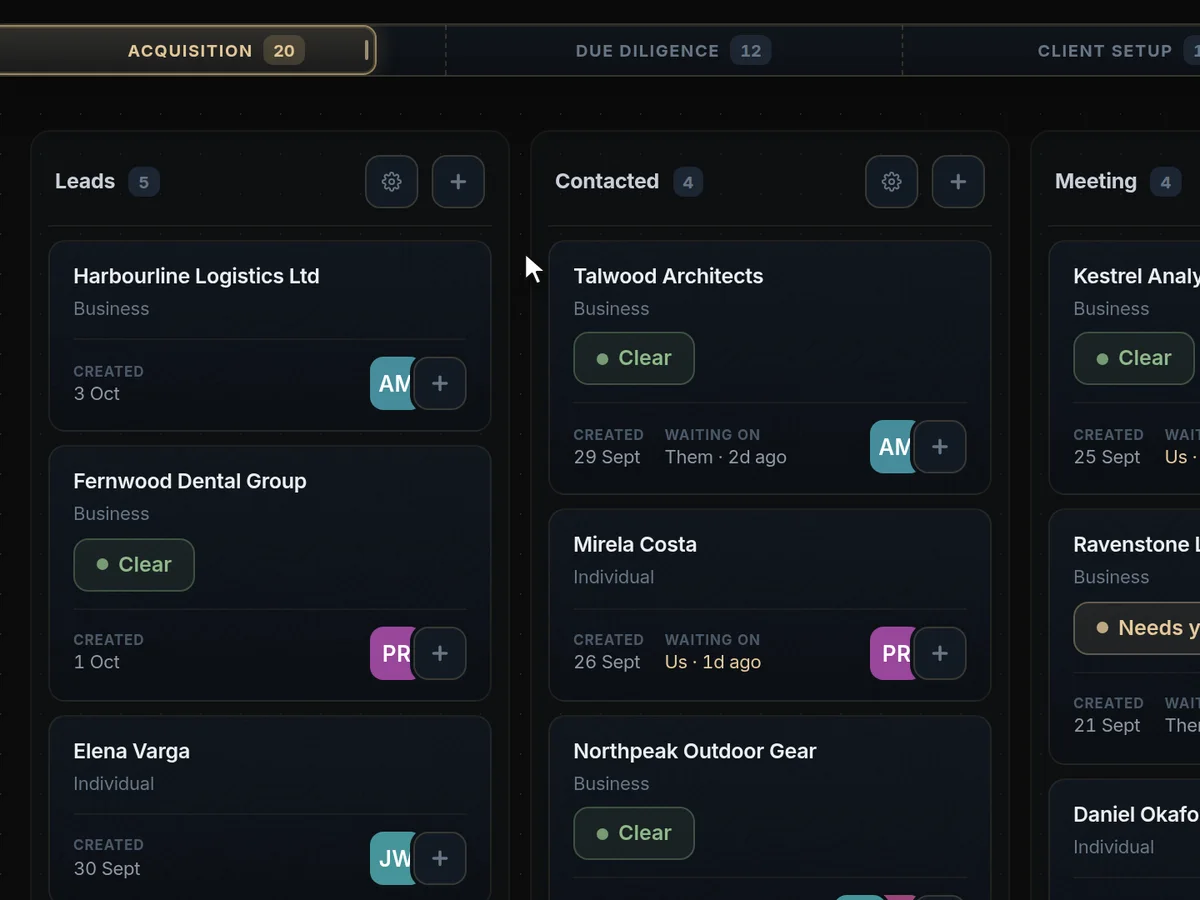
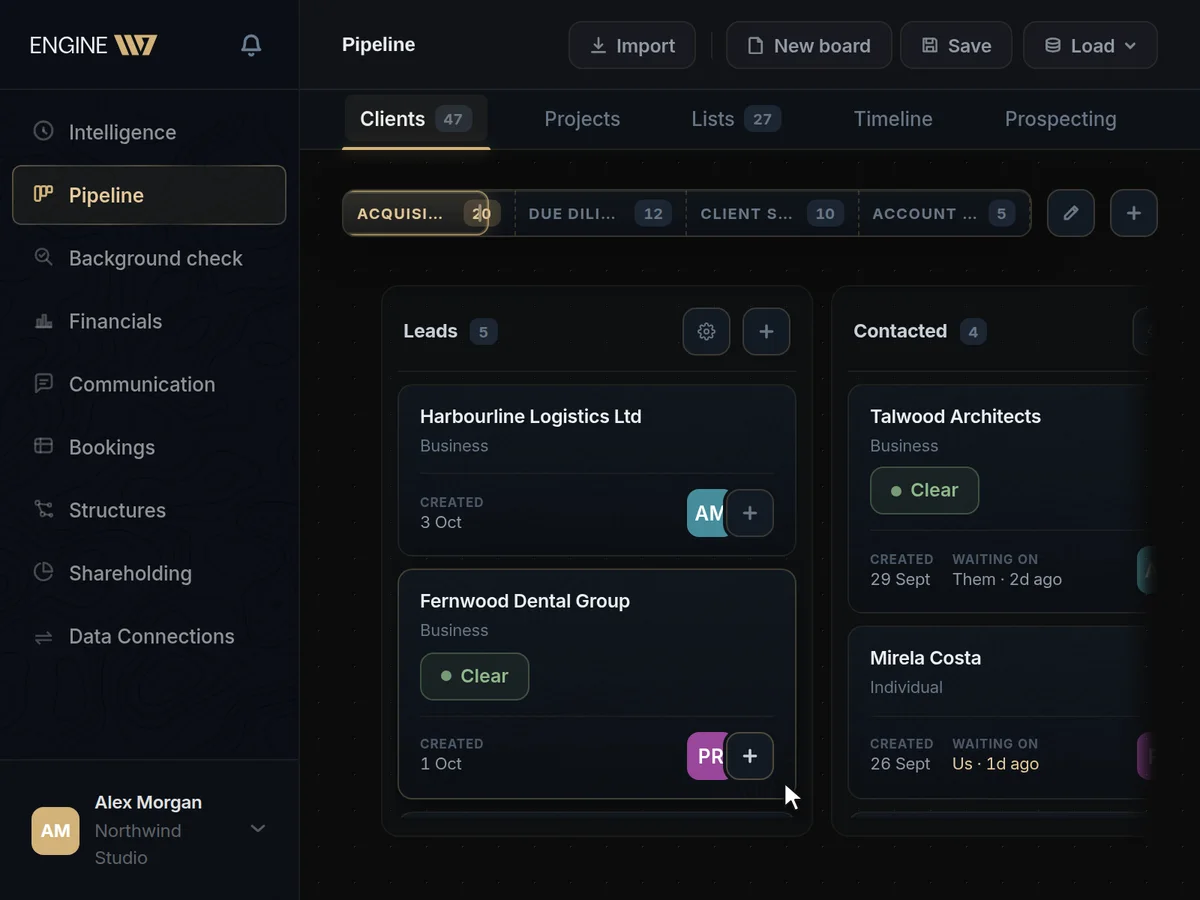
Everything about a client, in one record.
Open any card for the whole file: contact and company details, a timestamped activity log of who did what and when, and the due-diligence view with the background-check verdict, the risk rating and the decision. When the deal closes, mark it won from the same place.
One board from first contact to onboarding.
The phase bar carries the same clients through acquisition, due diligence and client setup — identity and ownership checks, AML and sanctions screening, then contract, account and configuration. Nothing is copied into another tool when a lead becomes a client.
The client pipeline, answered
What is the client pipeline?
A board that carries every client from first contact through due diligence and onboarding to account management. Drag a card to the next column and everyone sees the same picture.
Each card opens the client’s full record: contact and company details, a timestamped log of who did what, and the due-diligence view with the background-check verdict, risk rating and decision. Mark a deal won from the same place.
Counts update as cards move, so the shape of the pipeline is visible at a glance: how many leads are new, how many are in due diligence and how many are being set up.
Can we change the stages?
Yes. Add, rename and remove columns, add your own phases, and edit the steps inside each one. The defaults are a starting point.
Out of the box the board runs through acquisition, due diligence, client setup and account management, with identity and ownership checks, AML and sanctions screening, then contract, account and configuration.
Teams in different industries use the same board in very different ways: an agency might run pitch, proposal and kick-off, while a financial services firm runs identity verification, risk assessment and approval. The board adapts rather than forcing one sales process on everyone.
How do background checks work?
Engine117 checks a company against official registers, sanctions and politically exposed persons lists, and the news, then files the verdict, a risk rating and your decision on the client’s record.
Live register lookups cover Estonia, Norway and Finland, alongside the global LEI database and EU VAT validation. Sanctions and PEP screening uses consolidated international lists, including OFAC. Adverse media is searched across languages, with sources cited.
It is a research aid that saves hours of manual searching: the decision stays with you.
Every check produces a dated report on the client’s record, so you can show later what you knew at the time you decided. Checks can be run again whenever a client’s situation changes.
Can we import our existing clients?
Yes, from Attio and Apollo: deals and leads land on the board, and companies and accounts in your client list. Connect your Gmail to bring client email in alongside.
Salesforce, Pipedrive and HubSpot connections are on the way.
Once imported, clients can keep syncing, so the board stays current while you move over at your own pace.
Is it a replacement for a CRM?
For most teams, yes. It keeps your clients, stages, activity and checks, and it sits next to your team chat, client email, bookings and financials, which a standalone CRM does not.
Because a lead and a client are the same record, nothing is copied into another tool when a deal closes and delivery starts.
It also covers the compliance steps a CRM usually leaves to spreadsheets, such as ownership checks and sanctions screening, and keeps their results on the same record.
Can website enquiries go straight onto the board?
Yes. A contact form on a site built with Engine117 can open a card on the pipeline for every submission.
The enquiry arrives with what the person filled in, ready to be picked up.
Can we control who sees what?
Yes. Every person is an owner, admin, member or viewer, and you choose which pages each member or viewer can open. Viewers can look but never change anything.
You can save a set of pages as a template for the next hire, and invitations expire and can be withdrawn. Every login, role change, access change and security setting is recorded in the activity log, which you can filter by person, type and date and export as CSV.
Does it help with KYC and AML onboarding?
Yes. The default onboarding phase includes identity and ownership checks and AML and sanctions screening, and the background check files a verdict, risk rating and decision on each client.
It supports your process rather than replacing your compliance judgement: you decide what to accept, and the record shows who decided what and when.
Can several people work the same pipeline?
Yes. Everyone sees the same board in real time, and each client’s activity log shows who did what, so hand-overs between sales, compliance and delivery are clean.
Roles and per-page access decide who can see the pipeline and who can change it.
Can the AI answer questions about our pipeline?
Yes. Ask how many clients are in due diligence, which deals have stalled or what happened with a particular client, and it answers from the board and the records behind it.
It only reads the pipeline; it does not move cards or change records on its own.